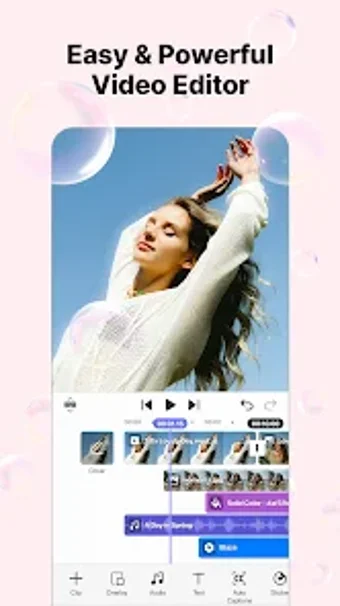
A practical app for short-form content creation
Spring - Video Editor & Maker is a multimedia app packed with tools for creating many kinds of videos. It gives users plenty of creative freedom, and the free version already feels generous enough for casual editing. This tool even supports up to 4K resolution and lets you export watermark-free videos.
Top Recommended Alternative

Whether you are a content creator, student, or someone who simply enjoys making videos for fun, Spring - Video Editor & Maker offers practical features for different needs. It covers the usual video editing basics, but the app stands out more through its AI-powered tools.
Quick edits with smart features
Spring - Video Editor & Maker has all the basic tools most users need, including merging videos, adjusting speed, adding subtitles, applying transitions, animating with keyframes, and even changing voices with audio effects. There are also plenty of stickers, filters, and visual effects available, giving users more ways to add personality and style to their videos in a simple and easy way.
For social media creators, one of the more useful features is the collection of ready-made templates. The app includes trendy layouts designed for reels, shorts, and more. Instead of editing everything manually from scratch, users can simply choose a template and insert their own photos or video clips into it. With only a few adjustments, videos can already look clean and ready to post online.
AI-powered tools automate many editing tasks you’d normally do manually. It includes auto-captions for instant subtitles, text-to-speech for voiceovers, background removal, noise reduction, and a music match feature that suggests fitting tracks. However, there’s a learning curve at first, so it takes some time to get used to. Editing longer videos can also feel a bit clunky since moving and rearranging clips isn’t as smooth or quick as in other editors.
Gets the job done at no cost
Overall, Spring - Video Editor & Maker is a solid video editing app, with a free version that feels less restrictive compared to many popular competitors. It works especially well for short-form content like reels and shorts, offering quick and easy editing tools. However, it might feel less smooth when handling longer projects. Still, its mix of manual and AI-powered features makes it a practical choice for fast, creative video production.